
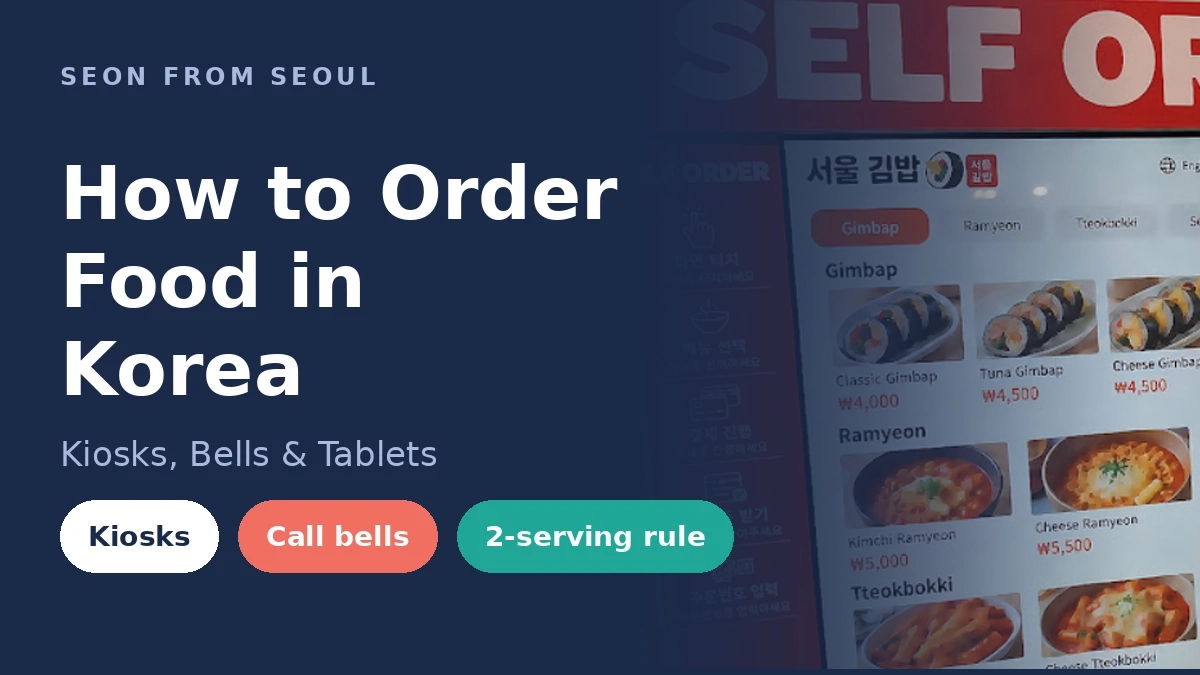

Quick Answer: Korean restaurants use one of three systems: a kiosk by the door, a tablet on your table, or a call bell. Press the bell instead of waving. Use Papago’s camera to read menus, and remember that BBQ and stews often need two servings or more.
Eating out in Korea is cheap, fast, and amazing. Ordering is where visitors get stuck. You sit down, nobody brings a menu, and there’s a button on the table you’re not sure you should touch. I eat out in Seoul all the time, so here’s how ordering actually works, and how to look like you’ve done it before.
The 3 Ways You’ll Order
| System | Where you’ll see it | When you pay | English? |
|---|---|---|---|
| Self-order kiosk | Gimbap shops, fast food, food courts, casual chains | Before you eat | Usually, look for a language button |
| Table tablet | BBQ places, pubs, newer chains | After you eat, at the counter | Often, check the “Language” menu |
| Call bell + staff | Traditional and family restaurants | After you eat, at the counter | Rarely, point at the menu |
Kiosks: Order and Pay Before You Sit
If you see a screen near the entrance, that’s where you order. Nobody will come to your table. Tap the language button (a globe icon or “English”) first. Then pick your food, choose dine-in or takeout, and pay.
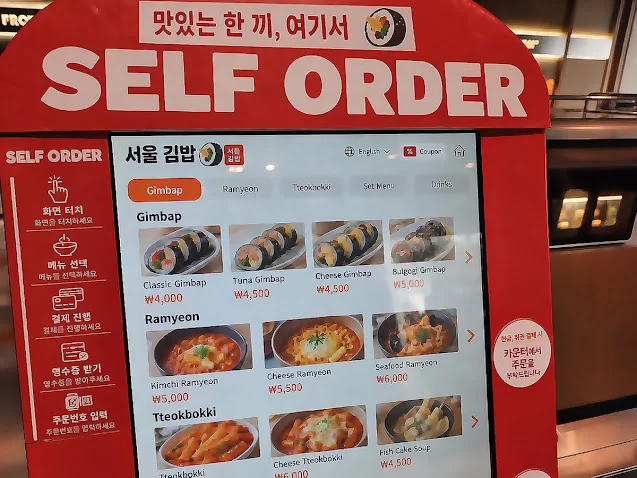
Your order number shows up on the receipt. When it’s ready, it appears on a screen or the staff calls it out. Pick it up at the counter, and bring the tray back when you’re done.
Pro-Tip: Kiosks are the #1 place foreign cards get rejected. Look at the small sign on the side. Many say “for cash or other payments, please order at the counter.” If your card fails, go to the counter. A WOWPASS card usually works at kiosks because it runs like a Korean card. More in my how to pay in Korea guide.
Table Tablets: Order From Your Seat
At most BBQ places and newer restaurants, there’s a tablet on the table. Switch the language, tap what you want, and hit order. You can keep adding food and drinks the whole meal. No need to flag anyone down.

Look for the “Call Staff” button too. Use it when you need more side dishes, a new grill plate, or scissors for the meat. You pay at the counter on your way out.
The Call Bell: Don’t Wave, Just Press
No tablet and no kiosk? Then there’s probably a small button on your table. Press it, and you’ll hear a chime. A staff member will come over. It’s not rude at all. It’s how the system works.

If there’s no bell, say “jeogiyo” (excuse me) in a normal voice. Waving and waiting for eye contact doesn’t really work here. Staff are busy and won’t check on you the way they do in the US.
Self-Service: Water, Side Dishes and Refills
Water is free, but in many places you get it yourself. Look for a water dispenser and cups near the counter. Side dishes (banchan) are free too, and refills are free.
If you see a sign that says 셀프바 (self bar), grab extra kimchi and veggies there yourself.

The “2 Servings Minimum” Rule
This one surprises a lot of solo travelers. Prices for BBQ, stews, and hot pots are often listed per person (1인분), but the restaurant only lets you order two or more.

Watch for these words on menus and signs:
- 1인분 = one serving (price per person)
- 2인분 이상 or 2인 이상 주문 가능 = minimum of two servings
- 혼밥 = eating alone (shops that welcome solo diners sometimes use this word)
Some places are clear about it in English. The tablet in the photo above says each person must order one serving, and meat orders need at least two. Eating alone? Go for kiosk places, noodle shops, gukbap (rice soup), or gimbap shops. They’re built for solo meals.
Read Any Menu With Papago
Papago is Naver’s translation app, and in my experience it handles Korean better than Google Translate. Its camera mode translates a menu as soon as you point your phone at it.

Download the offline language package before you fly. Offline, Papago can still translate text and voice. Image, conversation, and document translation need data, though.

For camera translation, you’ll want mobile data. A Korea eSIM is the easiest fix. Compare options in my best eSIM for Korea guide.
10 Korean Words for Ordering
| Korean | Say it | Meaning |
|---|---|---|
| 저기요 | jeo-gi-yo | Excuse me (to call staff) |
| 이거 주세요 | i-geo ju-se-yo | This one, please (point at menu) |
| 물 | mul | Water |
| 안 맵게 해 주세요 | an maep-ge hae ju-se-yo | Not spicy, please |
| 포장 | po-jang | Takeout |
| 매장 | mae-jang | Dine-in |
| 반찬 더 주세요 | ban-chan deo ju-se-yo | More side dishes, please |
| 1인분 / 2인분 | il-in-bun / i-in-bun | 1 serving / 2 servings |
| 계산해 주세요 | gye-san hae ju-se-yo | Check, please |
| 따로 계산 | tta-ro gye-san | Pay separately |
Not hungry for a full table meal? Grab something cheap first. Our convenience store food guide covers what to buy at CU, GS25, and 7-Eleven.
Paying the Bill
At sit-down places, nobody brings the check. Walk to the counter when you’re done and tell them your table number, or bring the receipt from your table. There’s no tipping in Korea, and nobody expects it.
Splitting the bill? Say “ttaro gyesan” (pay separately). Busy places may not love it at lunch rush, so one person paying and the group settling up later is common.
Skip the Line With CATCH TABLE Global
Almost every restaurant Seoul calls a “matjip” (must-eat spot) has a wait. Many don’t take reservations at all, and lines of an hour or more are normal. Locals avoid that by booking ahead or joining the waitlist from their phone, then showing up when their table is almost ready.

I use CATCH TABLE all the time to book famous restaurants or get in line before I even leave home. Honestly, it’s one of the apps that makes daily life in Seoul easier. As a visitor, you can do the same with CATCH TABLE Global, the English version of the app. For booking and waitlists, I think it’s easier for foreigners than Naver Map. It’s never left me confused or stuck. My advice: if a place is on CATCH TABLE, reserve there first and then go. Don’t just show up and hope.
Warning: Download CATCH TABLE Global, not the regular Korean “캐치테이블” app. The Korean version asks for Korean phone verification, which you can’t pass with a foreign number.

| Feature | What it means for you |
|---|---|
| Sign-up | Google, Apple, or email. No Korean phone number needed |
| Languages | English, Japanese, Chinese and more. Reviews are translated in real time |
| Reserve | Book a date and time in advance |
| Remote Waitlist | Join the line without being there |
| Deposits | Fine-dining deposits can be paid with a foreign-issued card |
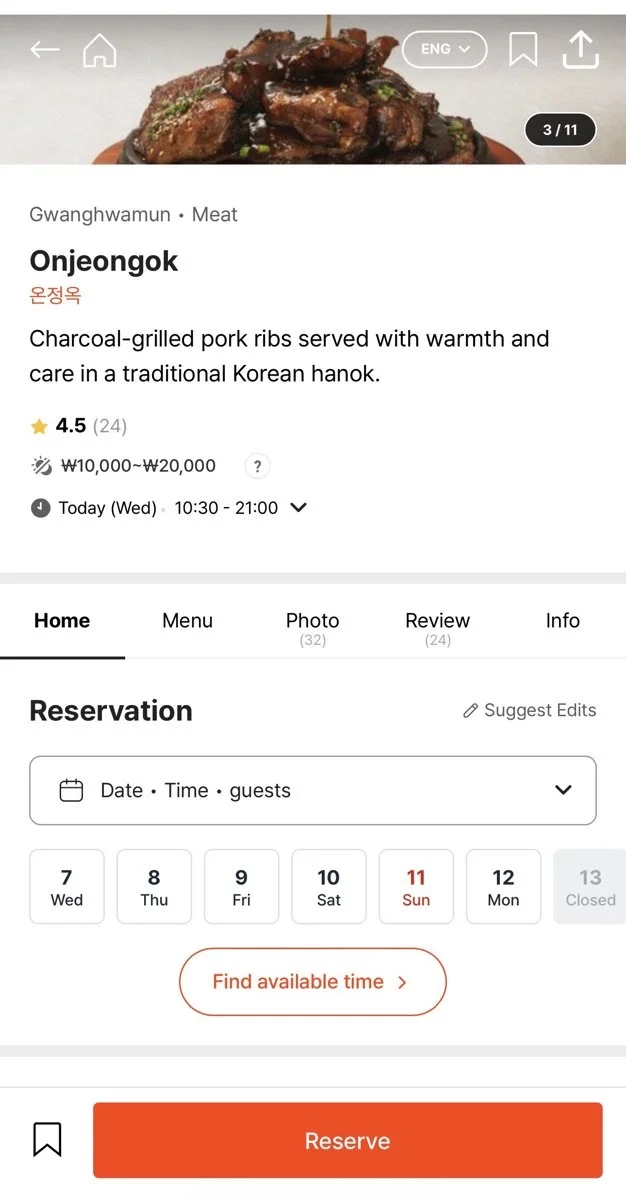
How I’d use it on a trip:
- Install it before you fly, and make sure you’ll have data in Korea.
- Search the restaurant in English. If it doesn’t show up, find its Korean name on Naver Map (see my Google Maps in Korea guide).
- For hot spots, join the Remote Waitlist while you’re still sightseeing nearby.
- For fine dining or omakase, book days or weeks ahead and pay the deposit with your card.

Pro-Tip: Not every restaurant is on CATCH TABLE. Many smaller spots have their own waiting tablet by the door that asks for a phone number. If it won’t take a foreign number, just ask the staff to add your name.
Not ready to order on your own yet? A guided food tour makes an easy first night. I like this Gwangjang Market street food tour on Klook. It’s a 2-hour, English-guided group walk through one of Seoul’s oldest markets, with bites like bindaetteok (mung bean pancakes) and tteokbokki. The guide does the ordering, and you’ll see everything in this post in action.
Mistakes to Avoid
- Waiting at your table for a menu at a kiosk restaurant.
- Waving at staff instead of pressing the call bell.
- Ordering one serving of BBQ alone when the sign says 2인분 이상.
- Leaving a tip on the table.
- Walking up to a famous restaurant without a reservation and expecting a table.
- Installing the Korean CATCH TABLE app instead of CATCH TABLE Global.
- Landing without data, so Papago’s camera won’t work.
Heading out to eat? My Seoul subway guide will get you there.
Disclosure: This post contains affiliate links. If you book through them, I may earn a small commission at no extra cost to you.