
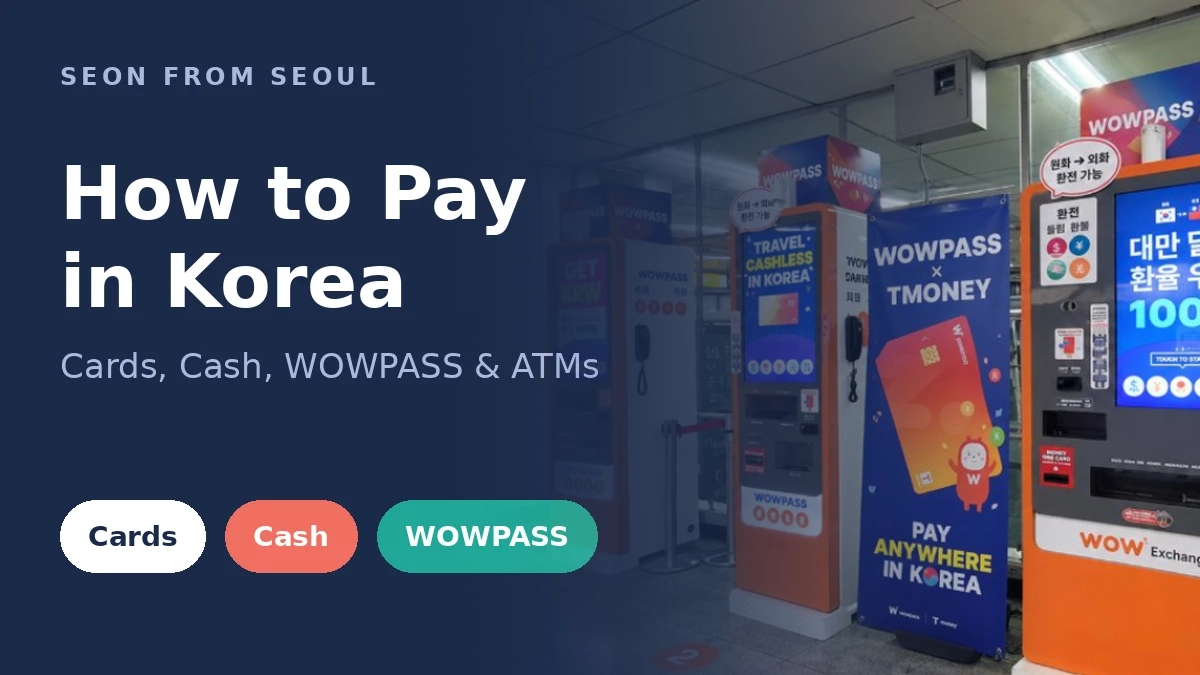

Quick Answer: Most shops in Korea take Visa and Mastercard, but kiosks, transit card top-ups, and small market stalls can reject foreign cards. Carry one foreign card, a WOWPASS or T-money card, and some cash. For cash, use a “Global ATM” and always choose to be charged in won (KRW).
Bank fees and card rules change, so check with your bank before you fly.
Korea is one of the most cashless countries I know. Locals tap their phones for almost everything. The catch is that much of that system is built for Korean cards and Korean phone numbers. So the question isn’t “do they take cards?” It’s “will they take your card, at this machine?” Here’s how to never get stuck at the register.
Your Payment Options at a Glance
| Option | Works at | Watch out for |
|---|---|---|
| Foreign Visa / Mastercard | Most restaurants, cafes, chains, department stores, taxis | Some kiosks, apps, and transit top-up machines reject it |
| Apple Pay (foreign card) | Convenience stores and big chains with contactless terminals | Many small shops and older terminals don’t support it |
| WOWPASS | Anywhere that takes Korean cards, plus transit (T-money built in) | ₩6,000 card fee at a machine (₩5,500 pre-ordered in the app); you need to load it first |
| T-money | Subway, buses, taxis, convenience stores | Top-ups are mostly cash |
| Cash (won) | Everywhere, including markets and street food | ATM fees and bad exchange rates if you’re careless |
| Kakao Pay / Naver Pay | Almost everywhere for locals | Usually need a Korean phone number and bank account |
Foreign Credit Cards: Mostly Fine, Sometimes Not
Bring a Visa or Mastercard with no foreign transaction fee. You’ll use it at most sit-down restaurants, cafes, chain stores, and taxis. Amex and Discover work in fewer places, so don’t make them your only card.
Pharmacies take foreign cards too, so paying for cold medicine works the same way. Here’s how a visit to a Korean pharmacy goes.
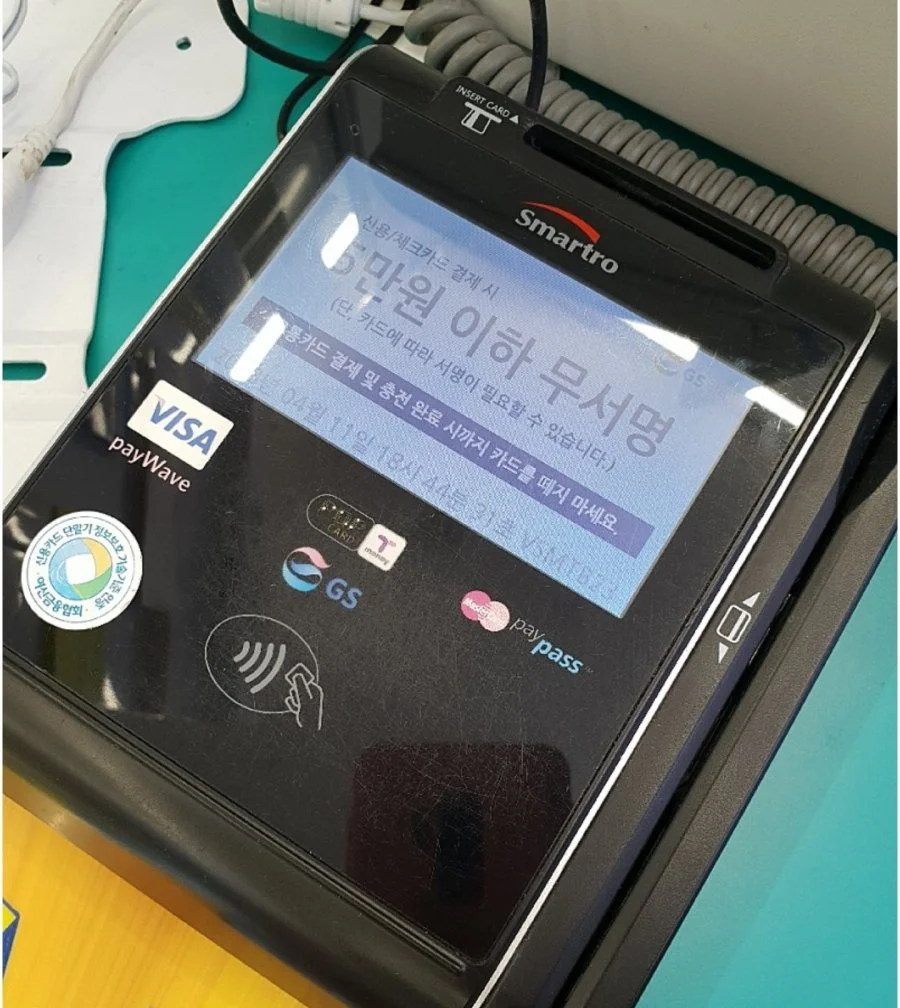
Where foreign cards fail most often:
- Self-order kiosks at fast food places and casual restaurants.
- Transit card top-up machines in subway stations. My Seoul subway guide shows the warning screen.
- Korean apps for delivery, trains, and some ticketing.
Pro-Tip: If a kiosk rejects your card, don’t give up on the meal. Most places with kiosks also have a counter. Say “kadeu-ro gyesan dwaeyo?” (can I pay by card?) and the staff will usually run it for you.
Apple Pay: Handy, Not a Plan
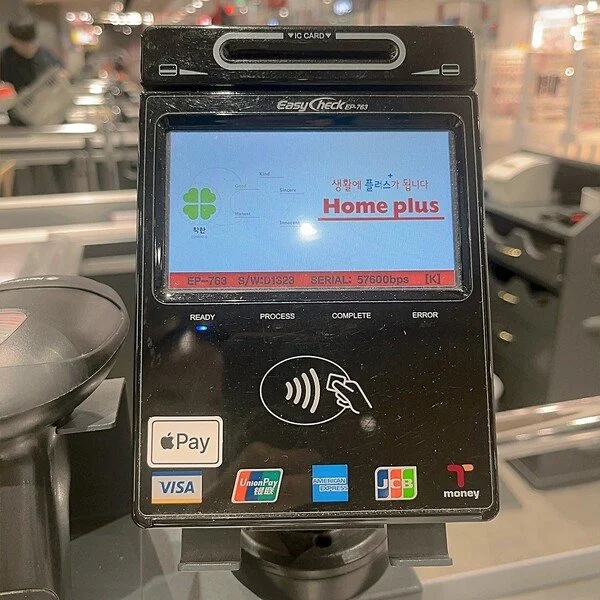
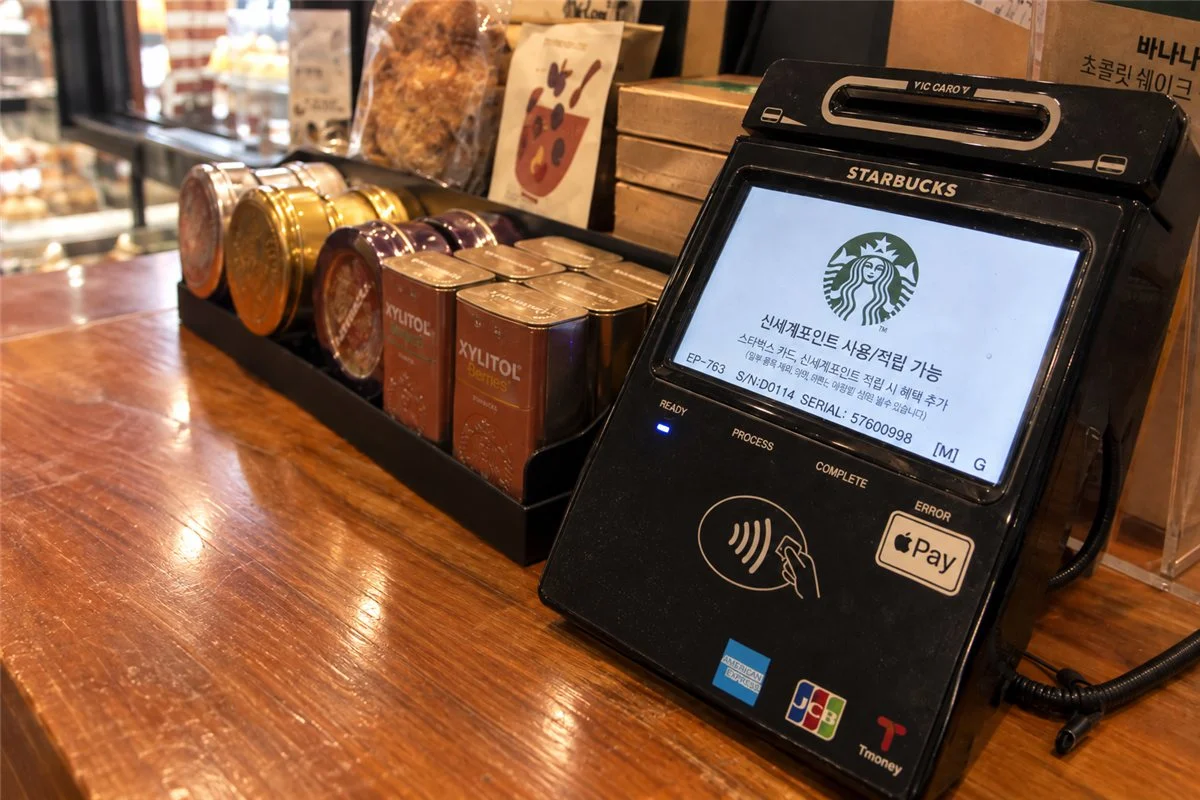
Apple Pay with a US-issued card works at many convenience stores and big chains that have contactless terminals. It shares the same weak spots as a physical foreign card, though. Treat it as a convenience, and keep the physical card in your wallet.
WOWPASS: The Tourist Card That Fixes Most Problems
WOWPASS is a prepaid card made for foreign visitors. You load it with your home currency or a card, and it spends like a Korean debit card. It also has T-money built in, so one card covers shops and the subway.
You can pick one up at WOWPASS machines around Seoul, or book a WOWPASS on Klook and redeem the voucher after you land.

Already have a T-money card? That’s enough for transit. You can also pre-order a T-money card on Klook.
Cash: How Much and Where to Get It
You won’t need much cash, but there are a few moments when a card just won’t do:
- Topping up T-money. The top-up machines in convenience stores and subway stations take Korean won in cash only.
- Traditional markets, street stalls, and some small restaurants. Some have no card reader, and others simply prefer cash.
- Splitting a small bill or buying secondhand. Koreans usually settle these with a bank transfer. Without a Korean bank account, cash is the easiest way to pay your share.
- Emergencies. Card networks go down and wallets get lost. I keep ₩50,000-100,000 in cash as a backup.
Everything else can go on a card.
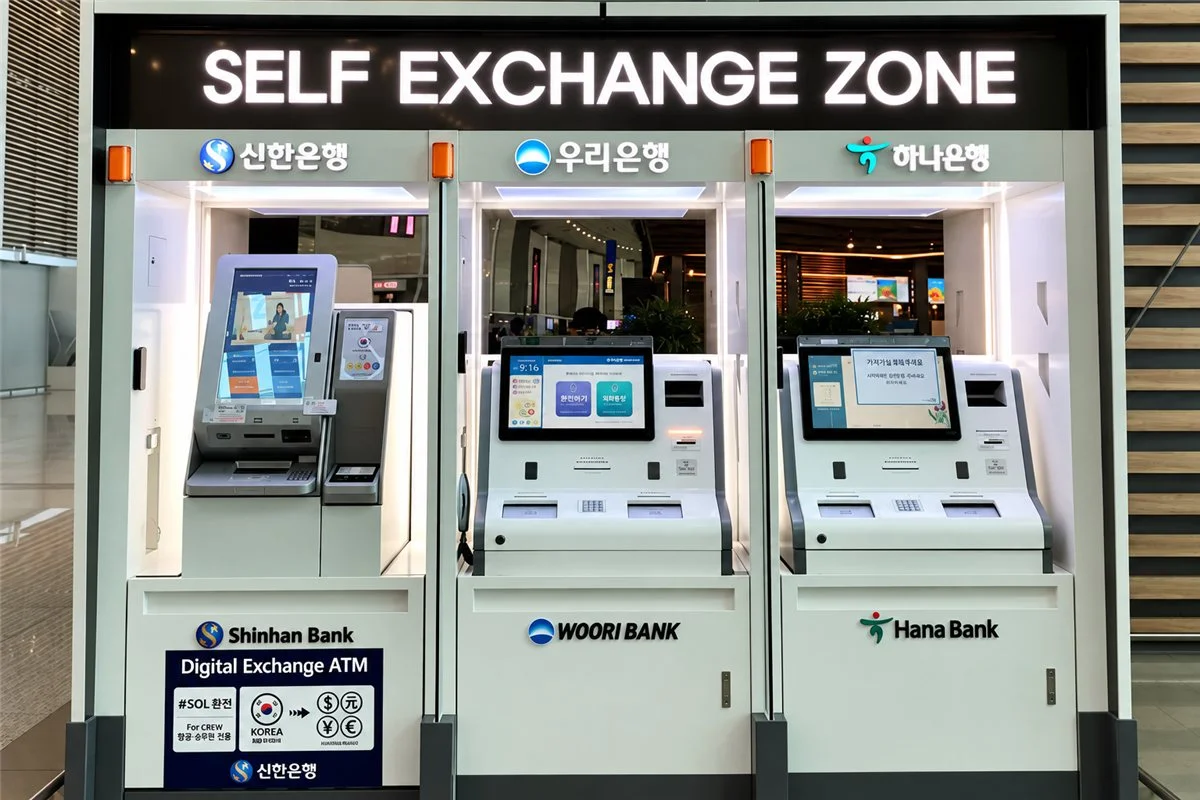
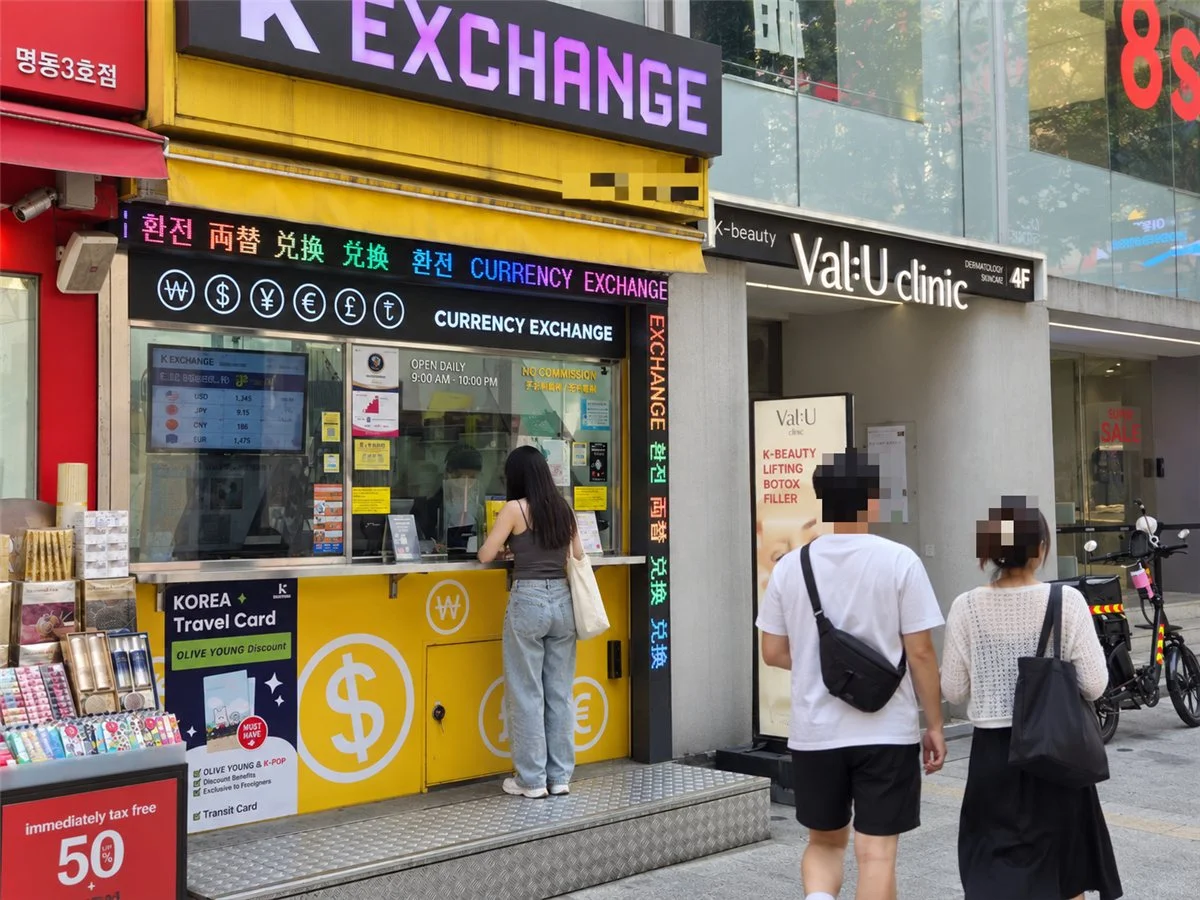
You can exchange cash at the airport, but rates are usually better at city exchange shops, like the ones in Myeong-dong. For most people, though, an ATM is the easiest option.
Using a Korean ATM with a US Card
Not every ATM in Korea reads foreign cards. Look for a “Global ATM” sign on the machine or on its screen. The most reliable ones are at Incheon Airport and at branches of major banks like KB Kookmin, Shinhan, Woori, and Hana.

Step by Step
- Insert your card and pick English.
- Choose the foreign card option. The button may say “Foreign Card,” “Global,” or “International.”
- Select “Cash Withdrawal,” then pick “Checking” as the account type for a US debit card.
- Enter your PIN. Korean ATMs expect a 4-digit PIN. If yours is longer, ask your bank about changing it before you fly. Be careful: a few wrong tries can lock your card.
- Choose the amount. If the screen offers to charge you in US dollars, say no. Pick KRW or “Continue without conversion.”
Warning: When an ATM or a card terminal offers to “Charge in USD,” it’s using a service called dynamic currency conversion. It looks convenient, but the exchange rate is usually much worse. Paying in USD can easily cost you a few extra percent. Always choose won.
How to Keep ATM Fees Low
- Use bank ATMs over convenience store ATMs. Convenience store machines tend to charge more and often cap a single withdrawal at around ₩300,000. Bank branch ATMs usually let you take out more per transaction, though limits for foreign cards vary by bank and machine.
- Withdraw less often. Korean ATMs charge a flat fee per withdrawal, often around ₩3,000-4,500, and your home bank may add its own. One bigger withdrawal beats three small ones.
- Always pick KRW, as above.
US Debit Cards That Make ATMs Cheap
The easiest way to save is to bring a debit card that refunds ATM fees. Set one up a few weeks before your trip, since the card takes time to arrive.
| US debit card | Foreign transaction fee | ATM fees abroad |
|---|---|---|
| Charles Schwab Investor Checking | None | Refunds ATM operator fees worldwide, credited at the end of the month |
| Fidelity Cash Management | 1% on debit card transactions abroad | Refunds ATM operator fees (on Visa/Plus/Star ATMs), credited the same day |
| Capital One 360 Checking | None | No Capital One fee, but the Korean ATM’s own fee is not refunded |
Check each bank’s current terms before you sign up. These policies change.
Kakao Pay and Naver Pay
These are what locals use most. For visitors, sign-up usually requires a Korean phone number and a Korean bank account, so most tourists can’t use them. Don’t plan your trip around them.
Tax Refunds
Shops with a “Tax Free” sign can refund part of the tax when you spend at least ₩15,000 in one store. Bring your passport when you shop. Some stores take the tax off right at the register, and others give you paperwork to process at the airport.
Deciding between a tourist card and a transit card? We compared the options in WOWPASS vs NAMANE vs Discover Seoul Pass, with fees and what each card is best for.
Your Payment Checklist
- A Visa or Mastercard with no foreign transaction fee.
- A backup card from a different bank, kept somewhere separate.
- A WOWPASS or T-money card.
- ₩50,000-100,000 in cash.
- A 4-digit PIN that works abroad.
- Mobile data, so card and map apps work. See my best eSIM for Korea guide.
Mistakes to Avoid
- Choosing “Charge in USD” at an ATM or terminal.
- Arriving with only an Amex or Discover card.
- Bringing no cash for markets and T-money top-ups.
- Making lots of small ATM withdrawals.
- Planning to rely on Kakao Pay or Naver Pay.
Getting around after you’ve sorted money? Read Kakao T vs Uber for taxis and my Incheon Airport to Seoul guide for your first ride.
Disclosure: This post contains affiliate links. If you book through them, I may earn a small commission at no extra cost to you.
Disclaimer: This article is for general information only. Visa rules, K-ETA requirements, exchange rates, fares, and opening hours change often. Check official sources before you travel, such as the Korean embassy or consulate in your country, the Korea Immigration Service, or the official app or operator. We are not responsible for decisions made from this information.