


Quick Answer: Most travel apps in Korea work with a foreign number, including Naver Map, CATCH TABLE Global, and the global ticket sites. What breaks is Korean “identity verification” (PASS), used by shopping, payment, and Korean ticket sites. A Korean SIM fixes SMS codes, but not full ID checks.
App rules change often, so test the apps you care about before you fly.
You land in Seoul, open an app, and it asks for your phone number. You type your US number. It wants a number that starts with 010. Or it shows a screen asking for your name, birth date, and carrier, and nothing you enter works.
This is the most common wall I see visitors hit in Korea. The good news: you can get around almost all of it. You just need to know which wall you’re facing.
Two Different Walls: “010” vs. Identity Verification
Korean apps check your phone in two very different ways. Most English guides mix them up.
1. SMS code. The app sends a code to your number. Some apps only send to Korean 010 numbers. A Korean SIM with a number fixes this.
2. Identity verification (본인인증, “PASS”). The app checks your name, birth date, and phone number against your mobile carrier’s records. It’s tied to a Korean resident number or a phone plan in your own name. A tourist SIM usually can’t pass this, even with a real 010 number.
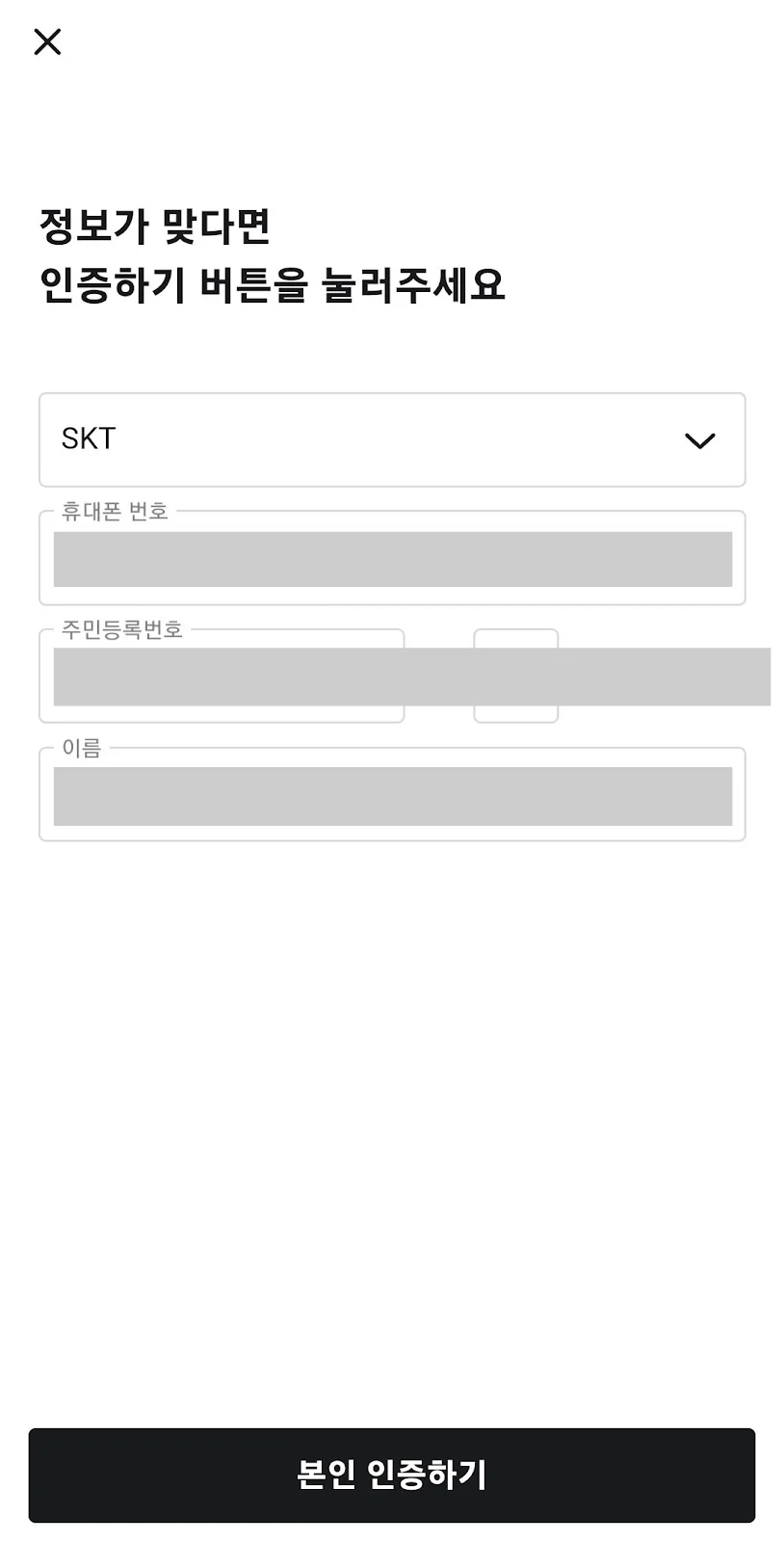
This is what PASS-style verification looks like on Baemin. It asks for a carrier, a phone number, and a Korean resident registration number, which tourists don’t have.
Look at the screen above. It asks for a resident registration number (주민등록번호). Korean citizens have one, and long-term residents get a similar number. A passport doesn’t fit in that box. That’s why buying a Korean SIM won’t get you through this screen.
Pro-Tip: Even the SIM sellers say so. SK Telecom’s tourist SIM listing on Klook gives you a 010 number but states it “can not be used for self-authorization.” That’s the identity check.
What Works and What Doesn’t (2026)
| Need | App | With a foreign number? | Workaround |
|---|---|---|---|
| Maps | Naver Map, Kakao Map | Works. No login needed for directions | Just open and search |
| Taxi | Kakao T | Usually works. Some visitors get stuck at sign-up | K.Ride, Uber, or hail on the street |
| Messaging | KakaoTalk | Works with a foreign number | Sign up at home on Wi-Fi |
| Restaurant waitlist | CATCH TABLE Global | Works. Sign up with Google, LINE, Apple, or email | Use the Global app, not the Korean one |
| Entrance waiting tablet | Store tablet | Doesn’t take foreign numbers | Ask staff to add you |
| Food delivery | Baemin | Works for tourists. Order without a Korean number, pay with a foreign card | Coupang Eats and Yogiyo are hit or miss |
| Shopping | Coupang, Musinsa (Korean site) | Usually blocked by identity checks | Shop in stores, or use global sites |
| Concert tickets | Interpark, YES24, Melon (Korean sites) | Blocked. They need I-PIN or PASS | NOL World, YES24 Global, Melon Ticket Global |
| Bike share | Seoul Bike (Ttareungyi) | Works in Foreigner mode | Buy a pass with email + foreign card |
| Payments | Kakao Pay, Naver Pay | Blocked for most tourists | WOWPASS or a foreign card |
Fix 1: Get a SIM With a Korean Number
If your trouble is SMS codes and waiting lists, a Korean number solves most of it. This is different from a data-only eSIM, which gives you internet but no 010 number.
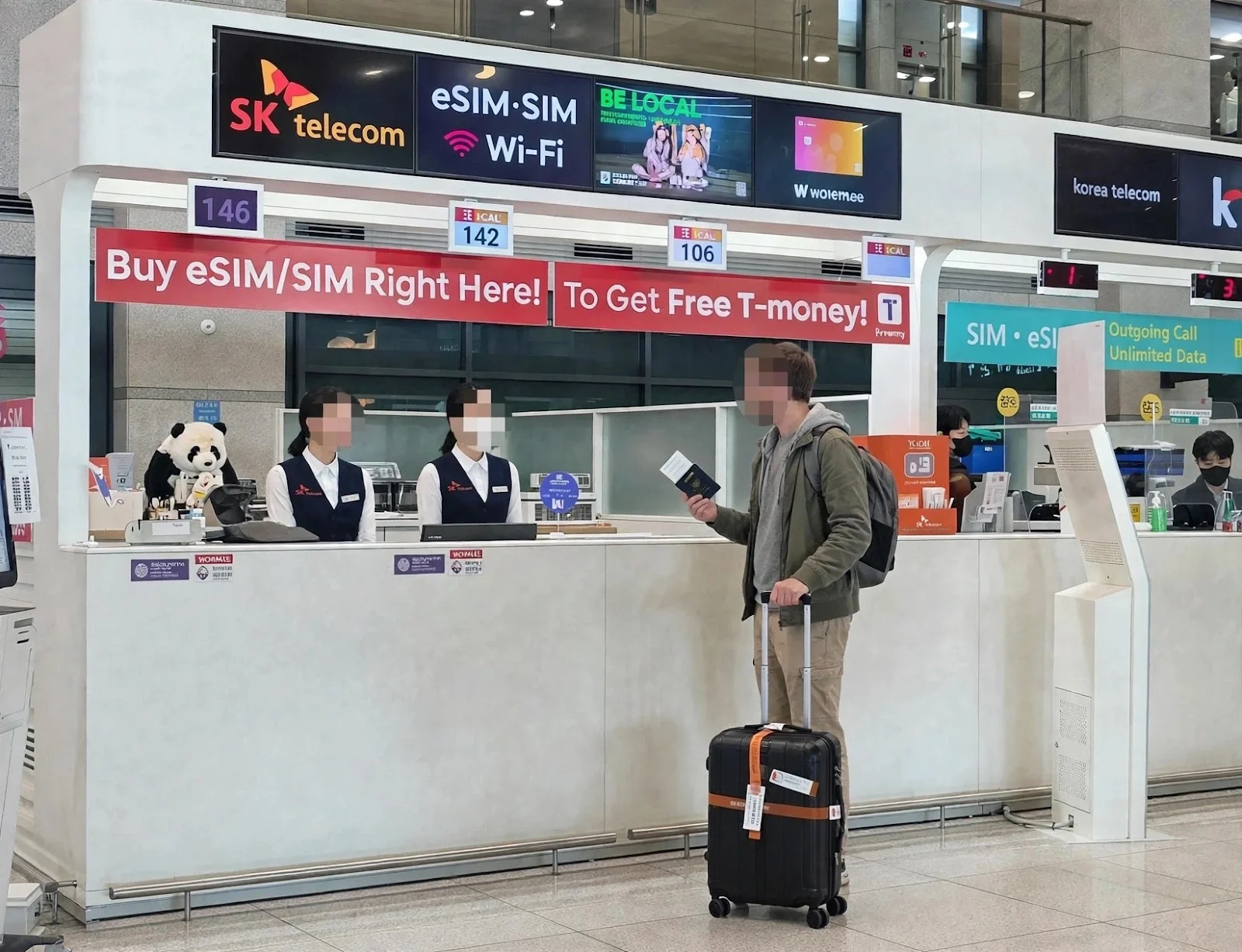
Telecom counters at Incheon Airport arrivals. Bring your passport.
You can pick one up at the telecom counters in the Incheon Airport arrivals hall. Bring your passport.
What to know before you buy:
- Pick a plan that says “Data + Calls/Texts” or similar. Data-only plans have no number.
- Incoming texts are what you need for codes. Some plans need a top-up for outgoing calls.
- It still won’t pass PASS identity checks (see above).
If you want a 010 number waiting at the airport, you can book a KT SIM with a Korean number on Klook and pick it up at arrivals.
Don’t need a number, just data? A data-only eSIM is cheaper and works before you land. I compare them in my best eSIM for Korea guide.
Fix 2: Use the “Global” Version of the App
Many big Korean services now run a separate version for foreigners. These skip PASS entirely.
CATCH TABLE Global is the one I’d install first. You can sign up with Google, LINE, Apple, or email. You can join waitlists and book tables at popular spots. I walk through it in my guide to ordering food in Korea.

CATCH TABLE Global lets you sign up with Google, LINE, Apple, or email. No Korean number needed.
For concert tickets, use the global sites: NOL World (formerly Interpark Global), YES24 Global, or Melon Ticket Global. They sign you up with email. The Korean versions need I-PIN verification, which foreigners can’t get. Use the same English name as your passport, because staff check it at the door.
For Seoul Bike (Ttareungyi), open the app without logging in, switch to English, and choose the foreigner option. Buy a pass with your email and a foreign card. A 1-hour pass is ₩1,000.

The Seoul Bike app has its own “Foreigner” button on the start screen. No Korean number needed.
Fix 3: Ask a Person
This is the one locals would tell you, and it works more often than you’d think.
At restaurant waiting tablets. Popular restaurants put a tablet at the door. It asks for a 010 number and sends your turn by KakaoTalk.

A typical waiting tablet. It wants a 010 number and alerts you by KakaoTalk.
These tablets don’t take foreign numbers, so skip the tablet and talk to the staff directly. In my experience, they’ll usually do one of these:
- Put in the store’s own number and call your name or check your face when it’s your turn.
- Write your name on a paper list or hand you a numbered slip, and ask you to wait nearby.
Say this and point at the tablet: “번호가 없어요” (beon-ho-ga eop-seo-yo), meaning “I don’t have a number.”
For delivery. Try Baemin first (see below). If an app gives you trouble, ask your hotel or guesthouse front desk to order for you. Many will. English apps like Shuttle Delivery also take foreign cards, but they mainly cover Itaewon, Gangnam, and Hongdae, and cost a bit more.
What About Taxis and Delivery Apps?
Kakao T lets most visitors sign up with a foreign number, and you can pay with a foreign card or pay the driver directly. Some visitors still report getting stuck at the verification step. If that happens, use K.Ride or Uber, or just hail a taxi. Red “빈차” means it’s free. My Kakao T vs Uber guide has the full setup.

Kakao T in English. Set it up at home on Wi-Fi so you’re not stuck at the airport.
Baemin, Korea’s biggest delivery app, now works for tourists. You can order without a Korean number and pay with a foreign card or Apple Pay. Coupang Eats and Yogiyo are still hit or miss.
I walk through sign-up, addresses, and Han River delivery zones in my guide to food delivery in Korea.
Paying Without Korean Apps
Kakao Pay and Naver Pay are what locals use, but they need a Korean card or account in your own name. Skip them. A foreign Visa or Mastercard works in most places. WOWPASS covers the rest. I explain it in how to pay in Korea.
For a card that works like a Korean one, pick up a WOWPASS on Klook.
Staying Longer? (Expats)
If you’re living in Korea, things get much easier after you get your Alien Registration Card (ARC). Then you can open a phone plan in your own name, and most PASS checks will work.
One catch: your name must match exactly across your ARC, your phone plan, and your bank. Spacing and order matter. “SMITH JOHN” and “JOHN SMITH” can fail. If PASS keeps rejecting you, bring your ARC and passport to your carrier’s store and ask them to fix the name on file.
Before You Fly: 5-Minute Checklist
- Install Naver Map, Kakao T, CATCH TABLE Global, and Papago at home on Wi-Fi.
- Sign up for Kakao T and add your card before you leave.
- Make your concert ticket account on the global site, using your passport name.
- Decide: data-only eSIM, or a SIM with a 010 number?
- Save “번호가 없어요” in your phone.
If data is all you need, grab a Korea eSIM on Klook and set it up before you land.
Mistakes to Avoid
- Buying a SIM with a number to “fix” PASS. It fixes SMS codes, not identity checks.
- Downloading the Korean version of an app when a Global version exists.
- Using a nickname on ticket sites. Your account name must match your passport at the door.
- Typing your home number into a waiting tablet. It won’t take it. Go straight to the staff.
FAQ
Can tourists get a Korean phone number?
Yes. Prepaid SIMs with a 010 number are sold at telecom counters in Incheon Airport. Bring your passport. They handle calls and texts, but usually can’t pass Korean identity verification (PASS).
Can I use Baemin without a Korean phone number?
Yes. Baemin now lets tourists order without a Korean number and pay with a foreign card or Apple Pay. Coupang and Coupang Eats are less reliable, so keep your hotel front desk as a backup.
What is PASS verification in Korea?
PASS is Korea’s phone-based identity check. Apps match your name, birth date, and number against your carrier’s records. It needs a Korean resident number or a phone plan in your own name, so most tourists can’t use it.
Disclosure: This post contains affiliate links. If you book through them, I may earn a small commission at no extra cost to you.
Disclaimer: This article is for general information only. Visa rules, K-ETA requirements, exchange rates, fares, and opening hours change often. Check official sources before you travel, such as the Korean embassy or consulate in your country, the Korea Immigration Service, or the official app or operator. We are not responsible for decisions made from this information.